# Installing Ioncube Loaders
## Assisted installation (Loader Wizard)
The “Loader Wizard” is a PHP script that can help you with the installation. Download the script file from the ionCube website and upload it to your server. Launch the script in your browser for guidance on installation and selection of the correct Loader package. For more info you can refer to [http://www.ioncube.com/loader\_installation.php](http://www.ioncube.com/loader_installation.php)
## Checking if ionCube is installed
Type [http://yourdomain.com/webfileshare/info.php](http://yourdomain.com/filerun/info.php "http://yourdomain.com/filerun/info.php")
If “info.php” does not exist, create one and add the following code inside:
Now “[http://yourdomain.com/filerun/info.php](http://yourdomain.com/filerun/info.php "http://yourdomain.com/filerun/info.php")” should provide information about your PHP configuration, as in the following example:
[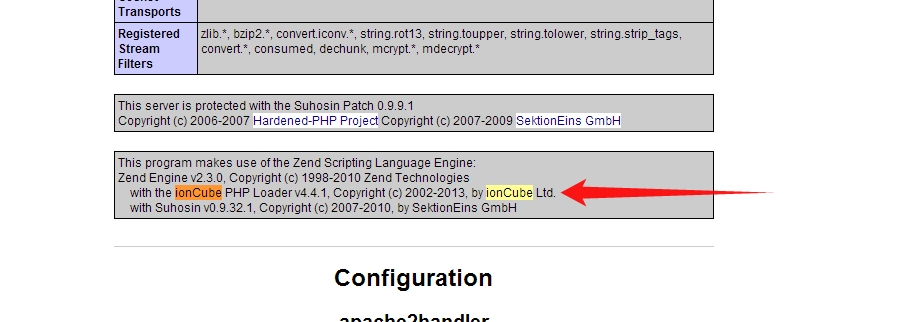](http://docs.filerun.com/_detail/ioncube-phpinfo.jpg?id=ioncube "ioncube-phpinfo.jpg")
## Choosing the right version
The first highlighted item describes the PHP version and server OS details e.g. PHP 5.5 in Ubuntu 3
Second item describes the system processor type e.g. x86-64. This is needed to download appropriate loaders e.g. as in image Linux (x86-64) package. You should enable the correct loader file with OS type and PHP version e.g.
The third highlighted item tells if PHP is threaded or not. In this example PHP is not threaded, if thread safety is enabled then your PHP configuration line should look like this: