# Extracting Archives
To extract an archive follow these steps:
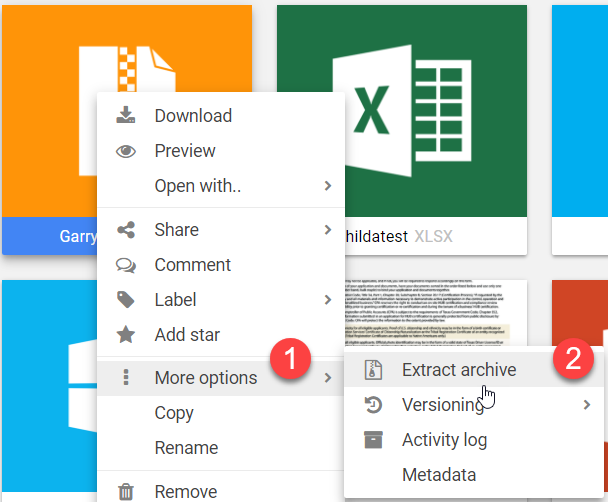
1. Right-click the file and select “More options” → “Extract archive”.
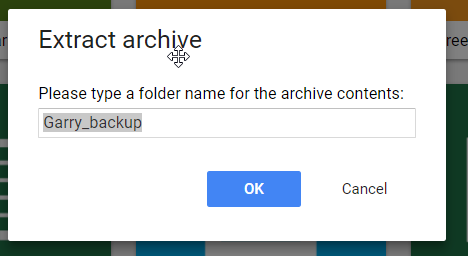
2. Type the name of the folder that will be used to extract the files to.
3. The folders list will automatically reload to show the changes.