Using Mobile Web Access
With MailStore Mobile Web Access you can access the MailStore archive regardless of your location using a smart phone. In addition to browsing the folder structure and viewing archived email, the mobile web access also allows you to search the archive.
MailStore Mobile Web Access
Stock web browsers on the following platforms are officially supported:
- Apple iOS 3.2 or higher
- Android 2.3 or higher
- Windows Phone 7.5 or higher
- Blackberry 7 or higher
Other 3rd party web browsers on those or other mobile platforms may also work, but are not officially supported.
Requirements for Using MailStore Mobile Web Access
Activation and configuration of MailStore Mobile Web Access are done using the MailStore Server Service Configuration. A list of supported internet browsers is available under System Requirements.
Accessing MailStore Mobile Web Access
Unless MailStore Server is configured otherwise, users can access MailStore Mobile Web Access using the following internet addresses:
http://:8461/m
https://:8462/m
Please replace with the actual name or the IP address of the computer on which MailStore Server is installed.
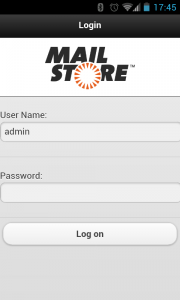
To log in to MailStore Mobile Web Access, please fill out the fields User Name and Password and click on Log on. Please keep in mind that the user name must always match the user's MailStore name.
Search by Folder Structure
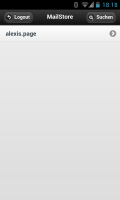
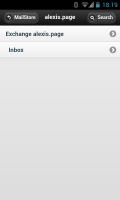
- After login, a list of all readable user archives appears.
- To open a user archive or a folder, simply tap on it.
- To return to the previous screen, tap on the Back button in the upper left corner.
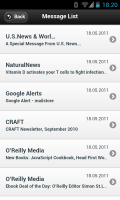
- To view the emails in a folder, tap on emails in the folder.
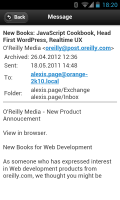
- To view an email, simply tap on it.
Full Text Search
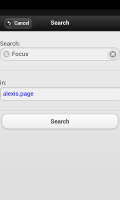
- To search for a specific keyword, first go to the archive to be searched. (Subfolders are included in the search).
- Tap on Search.
- Enter the keyword and tap on Search again.
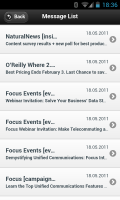
- The search results are displayed.
- To view an email, simply tap on it.